
Deploying a Next.js 16 fullstack app on AWS Amplify Gen 2 (SSR): six failures and how to avoid them
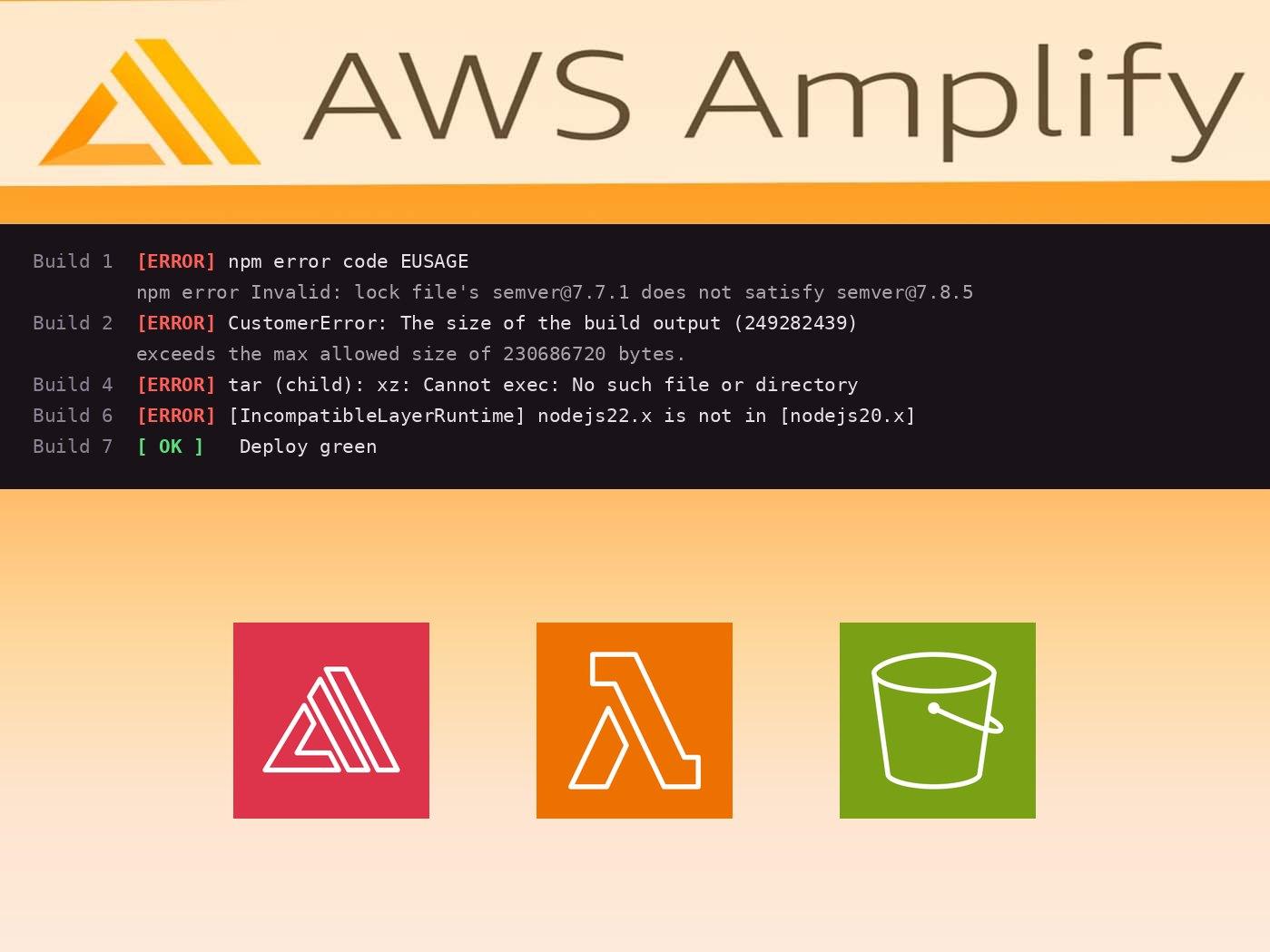
Getting a Next.js 16 app with an Amplify Gen 2 backend to deploy on Amplify Hosting's SSR compute took six failed builds. Every failure surfaced one layer deeper than the last, so the logs were misleading until the very end. This post walks the whole chain — symptom, root cause, fix — plus a checklist to skip straight to a green build.
Stack: Next.js 16 (App Router, Turbopack), Amplify Gen 2 (defineBackend, Cognito + AppSync/DynamoDB + S3), server-side audio transcoding with ffmpeg.
TL;DR checklist
If you're deploying Next.js 16 + Amplify Gen 2 SSR, do these up front:
- Verify the lock with
npm ci, never justnpm install. Amplify builds withnpm ci, which is strict.npm installcan silently leave the lock in a statenpm cirejects. - Expect the 220 MB SSR compute cap to bite. Amplify's managed Next.js support targets 12–15; on 16 it packages the full
nextpackage and blows the cap. Keep large binaries (ffmpeg, headless browsers, etc.) out of the hosting bundle. - Don't try to bypass the Next handler with a
Web Computingframework. Amplify detects Next and refuses the generic deployment-spec path. - If you need a big native binary at runtime, put it in a Lambda + layer, not in the Next server. Build the layer with host bundling (no Docker) and install
xzwithsudoin the build. - Match the layer's compatible runtimes to the function's actual runtime (Amplify now defaults functions to
nodejs22.x).
Failure 1 — npm ci fails: lockfile out of sync
Symptom (build log):
npm error code EUSAGE
npm error `npm ci` can only install packages when your package.json and
package-lock.json ... are in sync.
npm error Invalid: lock file's semver@7.7.1 does not satisfy semver@7.8.5
Cause. A transitive semver is bundled inside @aws-amplify/data-construct and @aws-amplify/graphql-api-construct pinned at 7.7.1, while another part of their subtree requires ^7.8.x. npm install tolerates the inconsistency (and even re-introduces it); npm ci, which Amplify runs, rejects it.
Fix. Regenerate the lock so the resolution is internally consistent, then verify with npm ci locally:
npm install --package-lock-only   # recomputes a consistent tree
npm ci                            # must exit 0 — this is the real test
git add package-lock.json && git commit -m "fix: resync package-lock"
Gotchas.
npmoverrides can't fix this — the stale copy is bundled in the dependency tarball, so overrides don't reach it.- Running a plain
npm installafterward (e.g. to add a dependency) can revert the fix. Always re-runnpm cibefore you push.
Failure 2 — build output exceeds the 220 MB SSR cap
Symptom:
CustomerError: The size of the build output (249282439) exceeds the max
allowed size of 230686720 bytes.
Cause. Amplify Hosting caps the SSR compute bundle at 220 MB. Its managed Next.js packaging officially supports Next 12–15; on 16 it falls back to shipping the entire next package (~173 MB), and our ffmpeg-static binary (~77 MB) pushed it to ~249 MB.
What doesn't work:
- Pruning dev dependencies (
npm prune --omit=devinamplify.yml). The size Amplify measures comes from Next's file trace, not your livenode_modules, so pruning dev deps changes nothing. - Standalone output + the deployment spec (see Failure 3).
What works: get the big binary out of the hosting bundle entirely (see The real fix, below). To confirm what's actually in the traced bundle, sum the files referenced by the .nft.json trace files under .next — that's what Amplify ships.
Failure 3 — the deployment-spec detour (a dead end for Next)
Tempting idea: build standalone output (which trims next to ~16 MB), lay it out per Amplify's deployment specification (a .amplify-hosting folder with compute, static, and a deploy-manifest.json), and set the branch framework off Next so Amplify deploys it as-is:
aws amplify update-branch --app-id <id> --branch-name main \
  --framework 'Web Computing' --region <region>
Two walls, in order:
CustomerError: Can't find required-server-files.json in build output directory
then, once you flip the framework:
CustomerError: It looks like you are attempting to deploy a Next.js SSR app,
but your app's framework looks wrong. Please update your app's framework to
'Next.js - SSR' ...
Cause. Amplify's build image detects Next.js and forces its native handler. Next.js - SSR validates a raw .next (native packaging, back to Failure 2). Web Computing is refused because it sees Next. There's no config that lets a Next app use the generic spec path. Don't go down this road. Set the framework back:
aws amplify update-branch --app-id <id> --branch-name main \
  --framework 'Next.js - SSR' --region <region>
The real fix: ffmpeg in a Lambda layer
Since the framework is locked to native Next, the only way under the cap is to remove the big binary from the hosting bundle. Move the work into a Lambda function that carries ffmpeg as a version-pinned layer, and invoke it from the route (here via a guest-authorized AppSync mutation over S3). Result: traced node_modules dropped 117 MB to 41 MB; the native bundle landed ~173 MB, comfortably under 220 MB.
Key building block — build the layer at synth time, on the host (no Docker), because Amplify's build image has no Docker daemon:
// amplify/backend.ts (abridged)
const FFMPEG_TARBALL_URL =
  'https://johnvansickle.com/ffmpeg/releases/ffmpeg-release-amd64-static.tar.xz'
const FFMPEG_TARBALL_SHA256 = 'abda8d77…' // pin + fail closed on drift

const ffmpegLayer = new LayerVersion(scope, 'FfmpegLayer', {
  compatibleRuntimes: [Runtime.NODEJS_20_X, Runtime.NODEJS_22_X], // see Failure 6
  compatibleArchitectures: [Architecture.X86_64],
  code: Code.fromAsset(join(amplifyDir, 'layers/ffmpeg'), {
    assetHashType: AssetHashType.CUSTOM,
    assetHash: FFMPEG_TARBALL_SHA256,
    bundling: {
      image: DockerImage.fromRegistry('public.ecr.aws/amazonlinux/amazonlinux:2023'),
      local: { tryBundle: bundleFfmpegLocally }, // curl + tar on the host
      command: ['bash', '-c', '/* docker fallback */'],
    },
  }),
})
lambda.addLayers(ffmpegLayer)
Pin the binary against a recorded SHA-256 so an upstream change fails the build instead of silently shipping a different binary. The static build is runtime-agnostic and glibc-free, so it runs on the Amazon Linux 2023 Lambda filesystem.
The same principle applies to anything heavy the server needs at runtime (headless Chromium, image toolchains, ML runtimes): keep it off the Next hosting compute.
Failure 4 — xz missing on the build image
Symptom (during CDK synth / layer bundling):
tar (child): xz: Cannot exec: No such file or directory
Cause. ffmpeg's static build ships as a .tar.xz; tar -xJf needs the xz utility, which Amplify's AL2023 build image doesn't include.
Fix. Install it in the backend build phase, before pipeline-deploy runs the bundling:
# amplify.yml
backend:
  phases:
    build:
      commands:
        - (command -v xz >/dev/null 2>&1) || sudo dnf install -y xz || sudo yum install -y xz
        - npm ci --cache .npm --prefer-offline
        - npx ampx pipeline-deploy --branch $AWS_BRANCH --app-id $AWS_APP_ID
Failure 5 — the build user is not root
Symptom. The xz install from Failure 4 fails with "has to be run with superuser privileges."
Cause. Amplify's build user is not root.
Fix. Use sudo — Amplify's build images provide it. That is why the command in Failure 4 is written as sudo dnf install -y xz || sudo yum install -y xz.
Failure 6 — layer/runtime mismatch
Symptom (CDK assembly, after a successful synth):
[IncompatibleLayerRuntime] This lambda function uses a runtime that is
incompatible with this layer (nodejs22.x is not in [nodejs20.x])
Cause. Amplify Gen 2 now defaults functions to nodejs22.x, but the layer declared nodejs20.x only.
Fix. List both runtimes on the layer (the static binary doesn't care), or pin the function's runtime to match:
compatibleRuntimes: [Runtime.NODEJS_20_X, Runtime.NODEJS_22_X]
How to avoid the whole chain next time
- Treat the 220 MB SSR cap as a design constraint. Before deploying, sum the
.nexttrace files. Anything big and binary belongs in a Lambda layer, not the Next server. - Prefer an Amplify-supported Next version (12–15) if you can. On 16 you're outside managed packaging and inherit the "full
nextpackage" bloat. npm ciis your pre-push gate. It catches the lockfile drift thatinstall,build, andtestall sail past.- Layer bundling must be host-based (no Docker on the Amplify build image) and may need extra tools (
xz) installed withsudo. - Pin binaries by SHA-256 and fail closed. A moving "latest" URL will otherwise ship a surprise build months later.
- Keep the branch framework as
Next.js - SSR. The generic deployment spec is not an escape hatch for Next apps.
The failure ladder (each build got one step deeper)
- Build 1 — reached install; failed on
npm cilockfile drift. - Build 2 — reached build; 249 MB over the 220 MB cap.
- Build 3 — reached build; deployment-spec rejected (
required-server-files.json, then framework). - Build 4 — reached synth;
xzmissing. - Build 5 — reached synth;
dnfneeds root. - Build 6 — reached assembly; layer
nodejs20.xvs functionnodejs22.x. - Build 7 — deploy green.